
Lyric Video Studio
VerifiedSync your sound, elevate your lyrics with AI-powered video creation.
Quick facts
- Best for
- Lyric videos
- Pricing
- Freemium
- Editor rating
- 4.5 / 5
- Community saves
- 0
About Lyric Video Studio
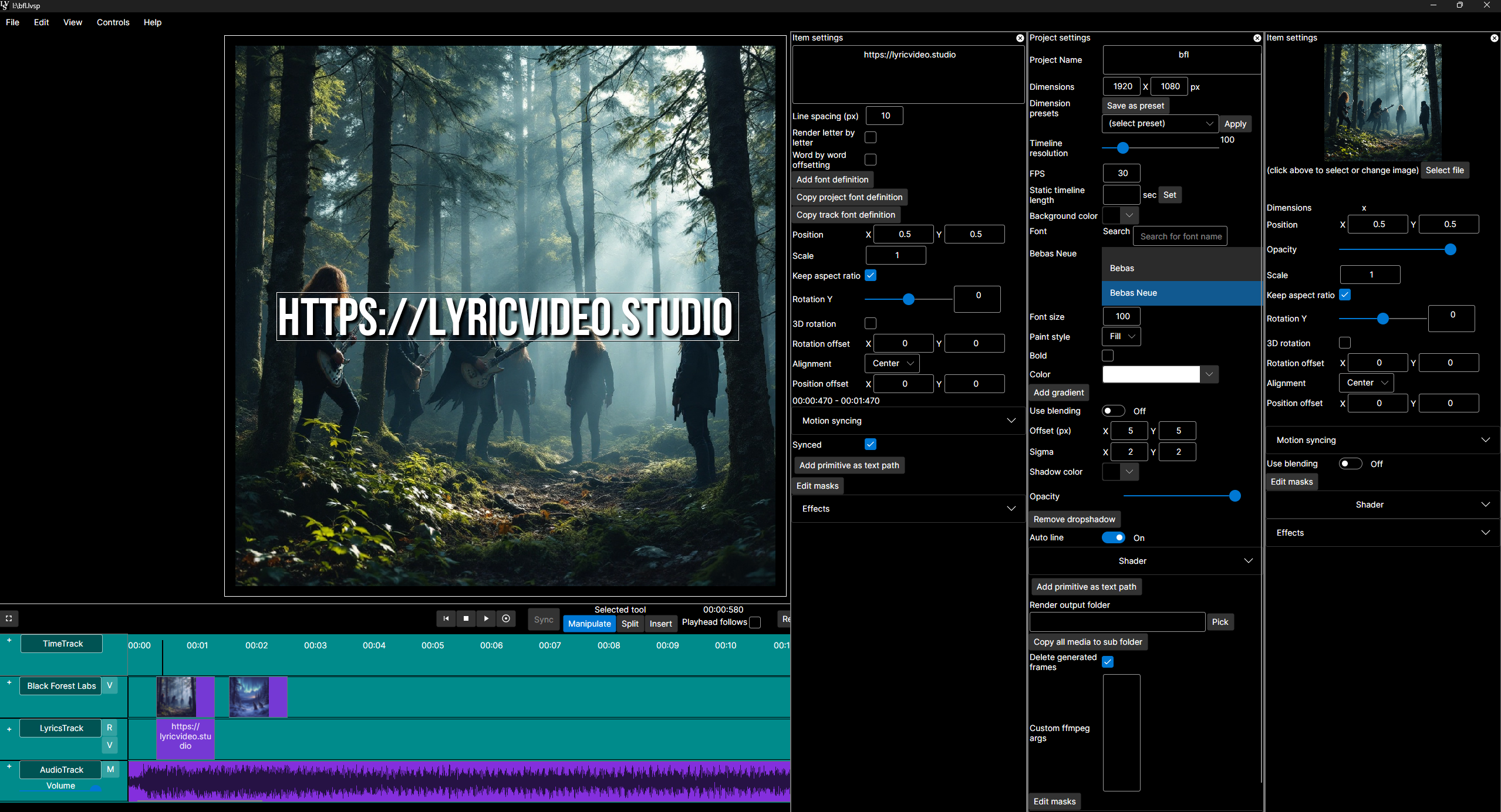
Socials: Lyric Video Studio is an artificial intelligence (AI) integrated tool designed to streamline the process of creating lyric and subtitle videos. Favored by musicians, the tool provides efficient text tools and the ability to sync sound and visuals to uplift the user's vision. It supports third-party plug-in integrations, enabling users to create storyboards or complete videos for their music. The application allows users to prompt images and videos using their service of choice and conveniently transform them into videos within the app. The software also provides start frames for video plugins to generate content and has text prompt video creation capabilities. Features include simple video editing, which you do not need professional experience to use. It employs a DAW-like horizontally scrolling multi-track timeline familiar from digital audios, ensuring interactive engagement. Video, lyric, audio, and generative AI tracks can be added as needed. The Lyric Video Studio also allows for background removal, object tracking, and the attachment of items to video objects. It has built-in functionality for applying effects and transitions on the project and track levels, making it easy to achieve consistent transitions. App also support Fragment Shaders and conversion from GLSL shader language in integrated shader editor. Adding lyrics to existing videos is made efficient with this tool, as it offers easy synchronization. In essence, Lyric Video Studio is a comprehensive app that simplifies the process of creating lyric videos with AI capabilities and integrated video editing features, offering an efficient and creative platform for musicians and content creators. Key FeaturesMusic VideosLyrics VisualizationKaraoke VideosLarge Language ModelsNon-linear Editing With Ai Image And Video SourcesLocal Stable Diffusion (nvidia / Cuda, Also Cpu), Video Generations Provided By Online Service ProvidersSupports Also Online Image Generations ServicesEasy And Fast Lyric Import, Lyric Syncing Made EasyAdd Texts To Videos, Be It Music Video, Visualizer, Or Just Subtitles To Existing Video3d Text RotationImport Any Video, Image Or Image Sequences (only Limited By Ffmpeg)Export Audio/lyrics From Text With Local Whisper-intergrationStoryboard Mode: View Your Images In Grid As An Alternative To Full Screen RenderingEmphasizing Ease Of Usage And Fast Manipulation And EditingLot Of Effects. Can Be Set To Project Wide, Track Wide Or Just For Single ItemTransition & AnimationsMulti-track And Timeline, Audio, Video, Lyrics And Ai Content Tracks Supported. Keep Your Prompts Organized!Fast Ai Video Creation By Using Lyrics Directly To Generate Still ImagesLlm (large Language Support) Integrated. Convert Your Lyrics To Descriptive Prompts For Images And Video. Export Then Directly To Your Favorite PluginIntegrating To Self-hosted Ai Content Generating, As Well As Service Provider-based (stability Ai, Sd3 For Example, Openai Dalle-e3, A1111)Ai Video Support (runway Ml, Luma Ai Dreammachine, More To Come Soon As Tech Matures)Dynamic 3rd Party Plugin Support For Generating ContentPresets For Plugins, Primitives, EffectsVideo Manipulation: Color / Chroma Key Removal & MaskingBackground Removal With Rembg, With Images & VideosClipping For Any Items And TracksImage Cropping, Also In Bulk In Image TrackExport Any Resolution VideosMultihreaded Off-screen Video Export Rendering (except When Using Shaders!)Multi-monitor Support (detachable Render View, Plugin Edit Views)From Musician To Musicians!!! Developed To Be Easy And Fast, With A Mindset Of ‘daw’Split Video And Audio, Loop Video, Alternate The SpeedFragment Shader Support. Add Shaders To Literally Everything. Converter From Glsl To Sksl (skiashard Shading Language) ProvidedObject Detection And Motions Tracking For Videos. Attach Any Item To Video Objects
Pros
- Efficient text tools
- Sound and visuals sync
- Supports third-party plugins
- Allows storyboard creation
- Transform images to videos
- Start frames for plugins
- Text prompt video creation
- DAW-like timeline
- Interactive engagement
- Multiple types of tracks
- Background removal
- Object tracking
Cons
- No version control
- No collaboration features
- No native sound design
- Limited storyboard creation tools
- No support for VR/360