
Quick facts
- Best for
- Manga creation
- Pricing
- Freemium
- Editor rating
- 5 / 5
- Community saves
- 0
About Kyukoma
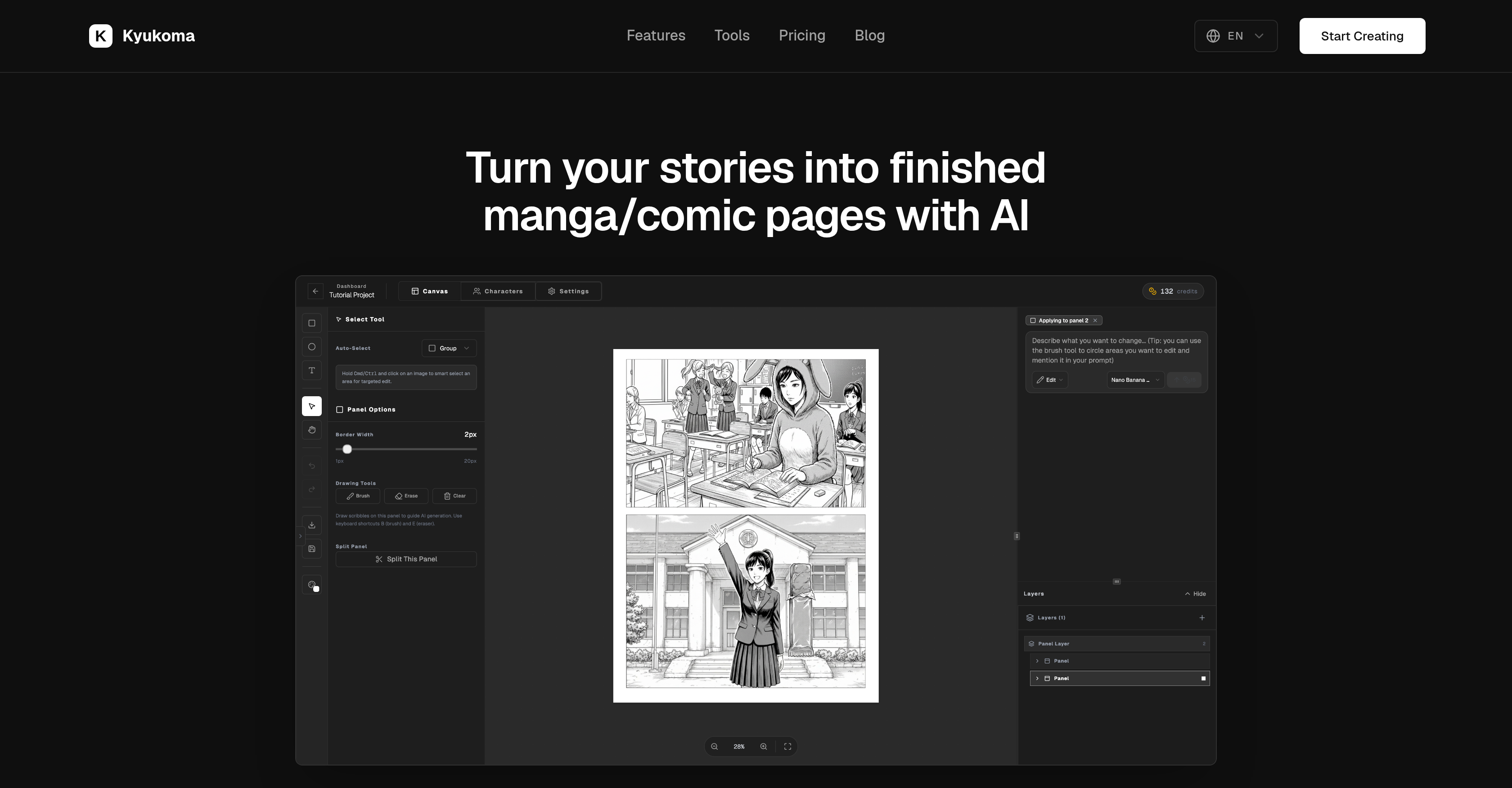
Socials: Kyukoma is a tool aimed at assisting users to create manga or comics using AI technology. The primary functionality is to turn narratives into completed manga/comic illustrations. It offers a variety of features to facilitate this process. One of these is the ability to maintain character consistency across panels by merely referencing their names in the user's prompt, reducing the workload on the creator by automating this process. The tool also provides precise creative control features like a smart select tool or inpaint tool for targeted editing without altering the overall image. Kyukoma includes a comprehensive canvas editor, designed to cater to common manga/comic creation workflows. This enables users to resize panels, add text bubbles, and make other adjustments necessary for creating a sequential art piece. The platform offers a directory of tools for common manga needs, including tools to colorize black-and-white panels, upscale artworks, remove text and sharpen anime sequences. These utilities provide assistance to artists during various stages of manga creation. In summary, Kyukoma is an AI manga and comic creator tool, providing functionalities ranging from maintaining character consistency to providing an advanced editing toolkit, geared to help users in all steps of their manga/comic creation process.
Pros
- Manga creation from stories
- Character consistency across panels
- Smart select and inpaint
- Targeted image editing
- Robust canvas editor
- Panel resize capabilities
- Built-in text bubbles feature
- Artwork upscaling tool
- Text removal utility
- Art sharpening
- Manga-specific workflow
- Manga toolbox directory
Cons
- No support for vector graphics
- Limited to manga style
- Automated illustrations lack customization
- Inpaint tool not always accurate
- Lacks advanced typography settings
- No offline version available
- Doesn't integrate with other tools
- No collaborative features
- No mobile application