
Quick facts
- Best for
- Workflows
- Pricing
- Free
- Editor rating
- 4.5 / 5
- Community saves
- 0
About Floneum
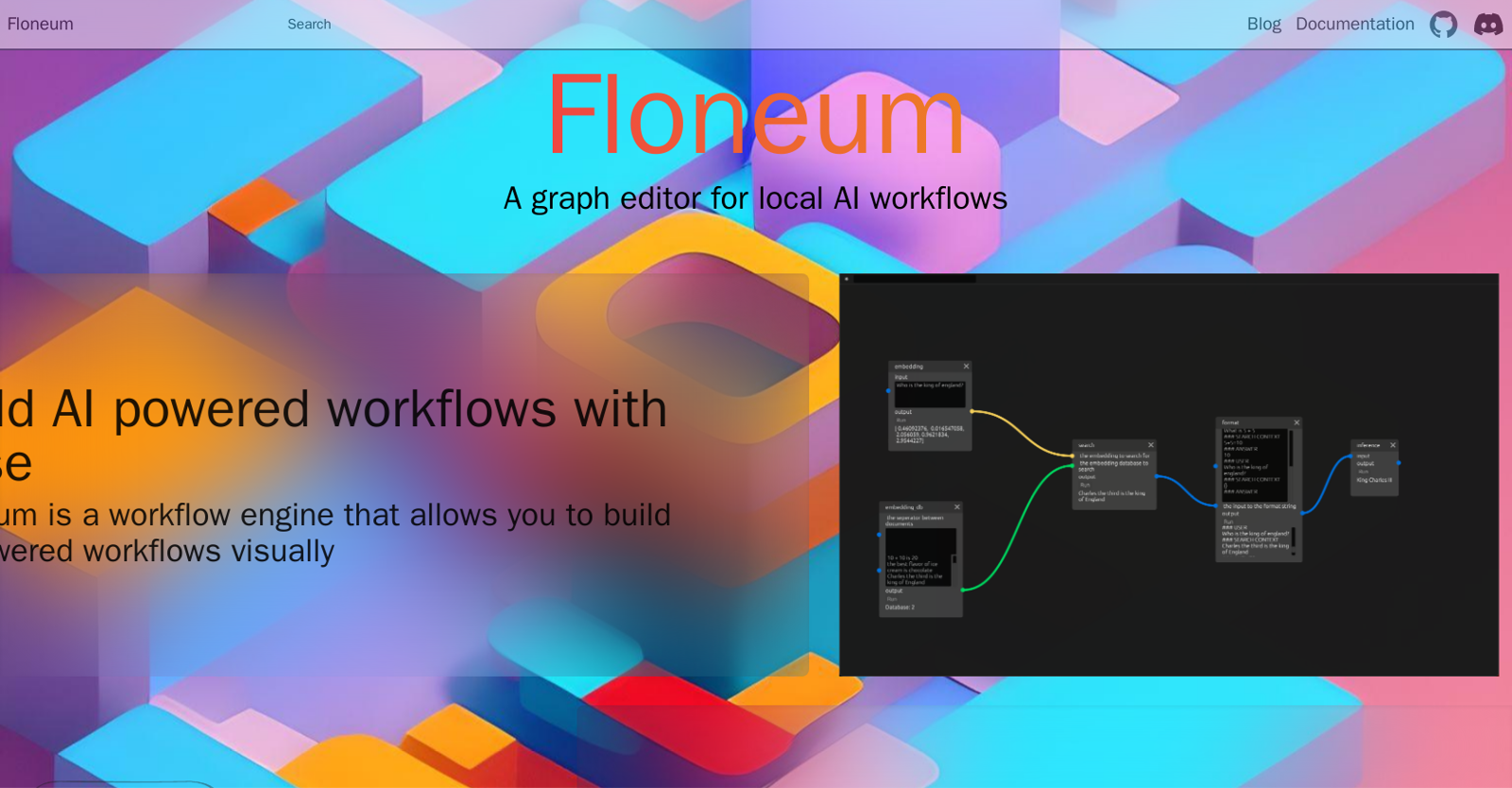
Floneum is a graph editor designed for building AI powered workflows. It offers a visual interface that enables users to create workflows easily and intuitively. With Floneum, users can construct complex workflows by connecting different components together to achieve desired outcomes.One of the notable features of Floneum is its ability to securely extend its functionality through plugins. These plugins are loaded in a sandboxed environment using WebAssembly, ensuring that they have access only to the necessary resources instead of the entire system. This approach enhances security and safeguards against potential vulnerabilities.Writing plugins for Floneum is flexible, as it supports multiple programming languages that can be compiled to WebAssembly. While Rust is the recommended language, developers can also leverage C, Java, or Go to create plugins. Floneum provides ergonomic wrappers specifically for Rust, simplifying the plugin development process.For those interested in trying out Floneum, a guide is available for users to get started easily. Additionally, there is a dedicated community on Discord where users can find support and engage with other Floneum users. The source code for Floneum is also open and accessible on GitHub for transparency and collaboration.Overall, Floneum is a powerful tool for constructing AI workflows with its visual editor and the ability to extend functionality through plugins written in various languages. Its emphasis on security and compatibility make it a valuable asset for those involved in AI development and workflow management.
Pros
- Visual workflow construction
- Integration of complex components
- Secure plugin functionality
- Sandboxed environment for plugins
- Supports multiple programming languages
- Recommendation for Rust language
- Ergonomic wrappers for Rust
- Dedicated community support
- Open-source code on Git
- Workflow automation engine
- Versatility of plugin creation
- Resource-focused access for plugins
Cons
- Lacks intuitive user guide
- Limited language support for plugins
- Manual plugin installation
- No mobile application
- Limited community support
- Requires knowledge of Web
- Assembly
- No built-in workflow templates
- Complex setup process
- No multi-user collaboration
- Dependency on Discord for support