
Quick facts
- Best for
- Image to video
- Pricing
- Paid
- Editor rating
- 3 / 5
- Community saves
- 0
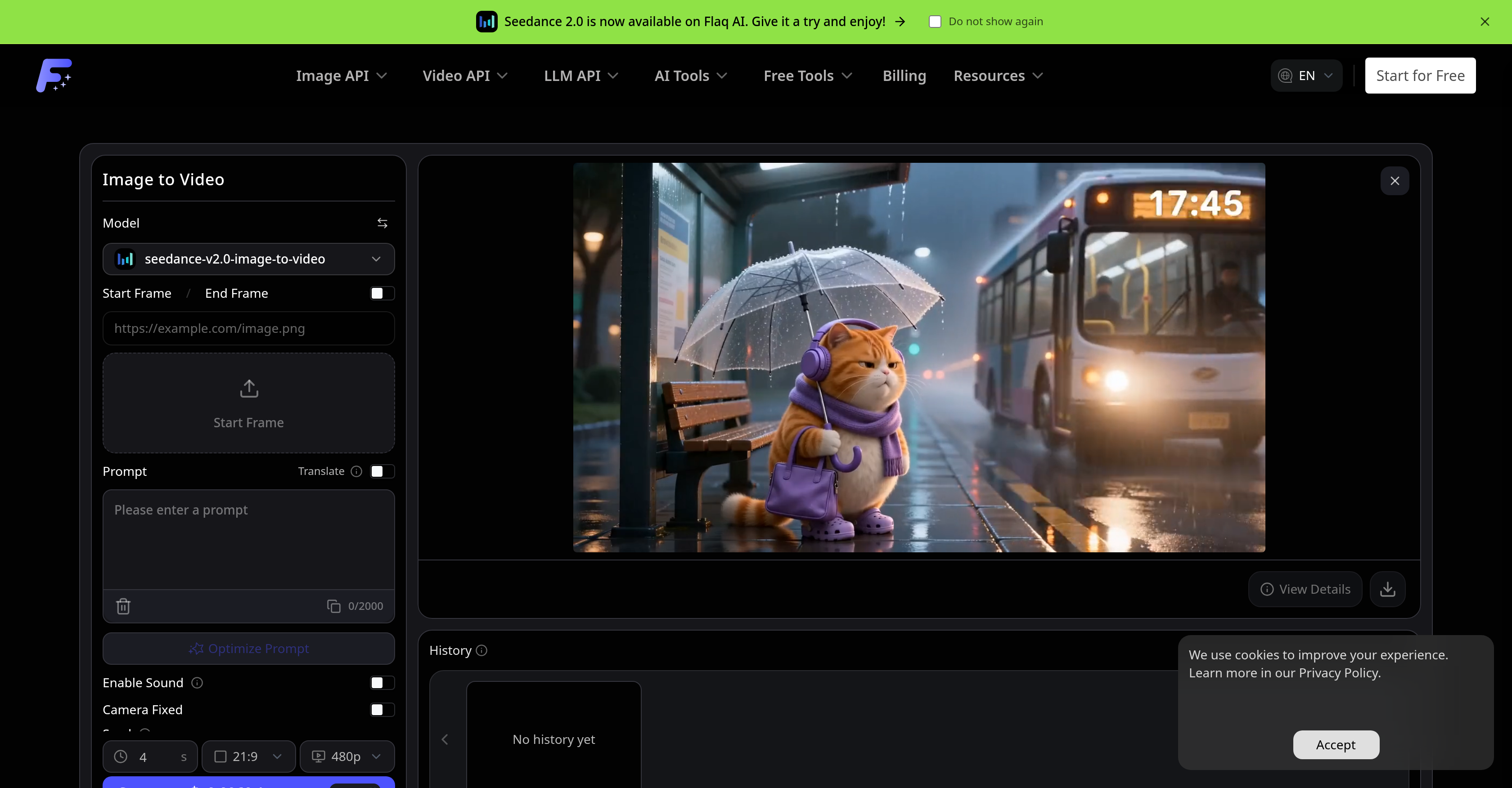
About Flaq AI | Image to Video
Flaq AI Image to Video Generator is a tool that animates photos and reference images into short AI videos. Users can seamlessly animate different types of imagery, from product pictures and portraits to character images, design visuals, and scene references. Users describe the desired motion, choose a supported image-to-video model, and generate smooth video clips. Functions include prompt-guided action, camera movement, visual consistency, optional audio, and end-frame control all within an online workflow. Users can also compare motion style, realism, speed, quality, audio support, and pricing among different image-to-video models. The tool accommodates flexible video settings where users can adjust options such as duration, aspect ratio, resolution, sound, end frame, seed, camera lock, and negative prompt per the selected model's specifications. The Flaq AI Image to Video Generator is a great tool for social media video creation, product and e-commerce videos, portrait and character animation, and design and concept previews. This tool provides a streamlined process for animating still images into dynamic cinematic videos while preserving the main subject, composition, and visual identity. Further, the tool offers predictive cost estimates, multi-model animation, and stable API workflows. The process includes uploading a reference image, detailing the motion prompt, choosing a model, generating the clip, previewing the result, and refining the prompt or settings for an improved version if necessary. The Flaq AI Image to Video Generator is a comprehensive tool for all image-to-video animation needs.
Pros
- Multi-model animation
- Flexible video settings
- Predictive cost estimation
- Stable API workflows
- Animation of uploaded images
- Reference image animation
- Optional audio support
- User-guided animation prompts
- Camera movement control
- End-frame control
- Animation adjustments control
- Supports multiple image-to-video models
Cons
- Limited model selection
- Highly dependent on prompts
- Complex settings configuration
- Not suitable for long videos
- Optional audio support
- Fixed camera movement
- Possible loss of visual identity
- Potential cost unpredictability
- Incomplete history functionality