
Airparser
VerifiedExtract structured data from emails and docs with AI
Quick facts
- Best for
- Data extraction
- Pricing
- Freemium
- Editor rating
- 4.5 / 5
- Community saves
- 0
About Airparser
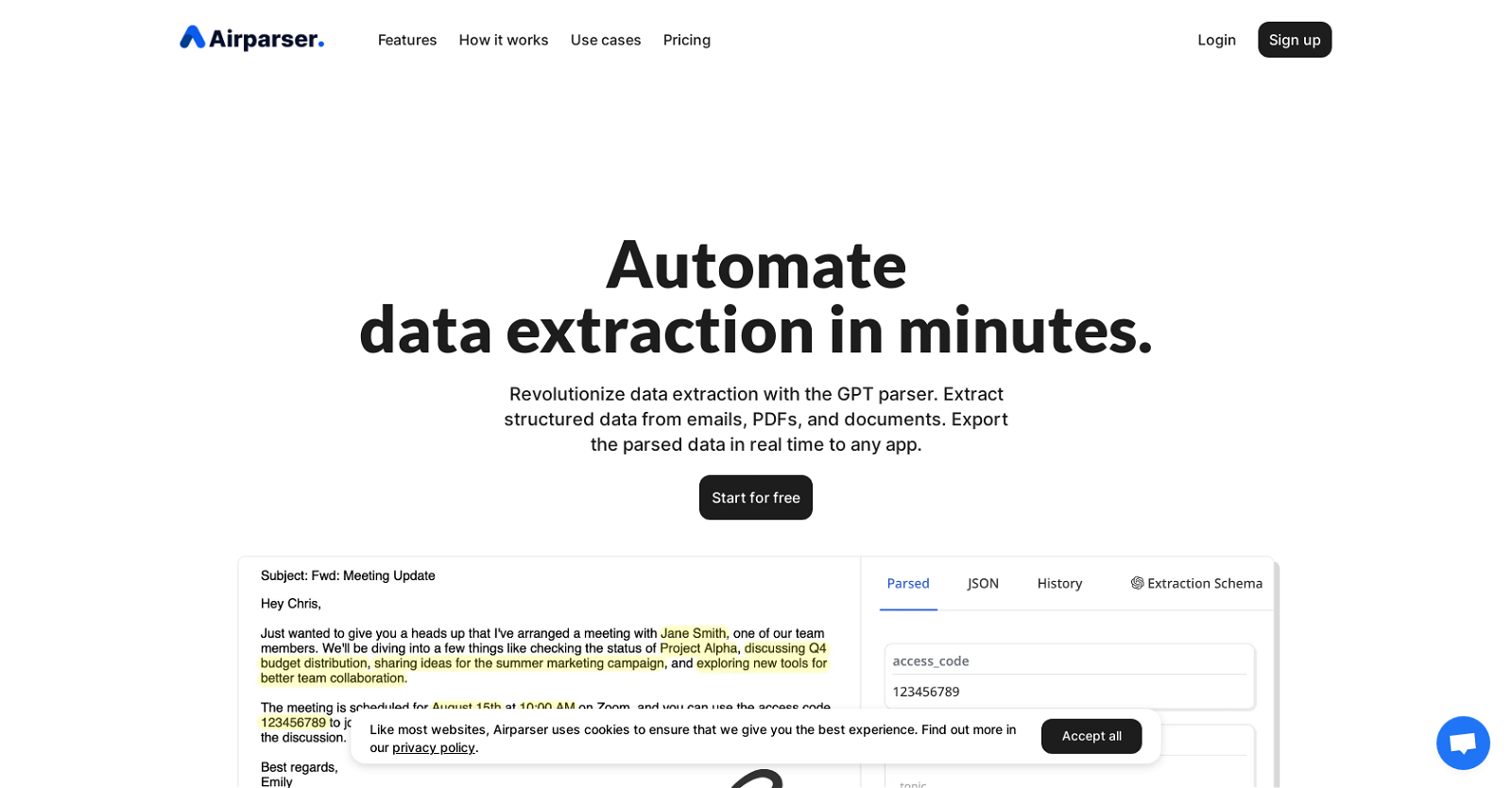
Airparser is a LLM-powered email and document parser tool that revolutionizes data extraction. With this tool, users can easily extract structured data from various sources such as emails, PDFs, documents, and more. The parsed data can be exported in real time to any desired application. The key features of Airparser include LLM-powered Swift data extraction for efficient results, an OCR engine that seamlessly extracts data from scanned documents, images, and handwritten notes, as well as the ability to parse texts, emails, PDFs, images, HTML, and more effortlessly. The data extraction process consists of three simple steps: import, extract, and export. Users can import emails and attachments, upload files manually, or use the API for automation. For extraction, users describe the data to be extracted, and the LLM-powered parser handles the rest. Finally, the parsed data can be exported through webhooks to create custom integrations or downloaded in Excel, CSV, or JSON formats. Airparser supports various use cases, including extracting contact information, dates, and key details from human-written emails and texts, digitizing handwritten notes and transforming them into organized data, efficiently capturing details from invoices, receipts, and purchase orders, gathering essential information from CVs and resumes, automatically extracting data from contracts for simplified management, and streamlining order processing by extracting relevant details from confirmation documents. In summary, Airparser offers a user-friendly and efficient solution for automating data extraction from emails and documents, with versatile integration capabilities and support for various use cases.
Pros
- Extracts from emails and documents
- Real-time data export
- GPT-powered swift extraction
- OCR engine
- Handles texts, emails, PDFs, HTMLExtracts from images
- Three-step process: import, extract, export
- API for automation
- Extracts data from handwritten notes
- Supports export through webhooks
- Downloadable data in Excel, CSV, JSONUseful for extracting contact information
- Great for digitizing handwritten notes
- Efficient in capturing invoice details
Cons
- No natural language processing
- Limited offline use
- No built-in collaborative features
- Limited data export formats
- No multiple language support
- No invoice or receipt discrimination
- No free tier available
- No detailed progress monitoring
- No voice data extraction
- No ROI tracking features